 MacMotion
The short answer
Don’t aim to stand all day. Aim to change position often and move regularly. Cornell University’s ergonomics guidance suggests that about every 20 to 30 minutes you take a posture break, standing and moving for a couple of minutes, and notes that the exact timing isn’t critical 1.
For the total, an international expert statement for desk-based workers recommends building up to 2 hours a day of standing and light activity (like light walking) during working hours, eventually progressing to 4 hours 2.
The Cornell 20-8-2 rule
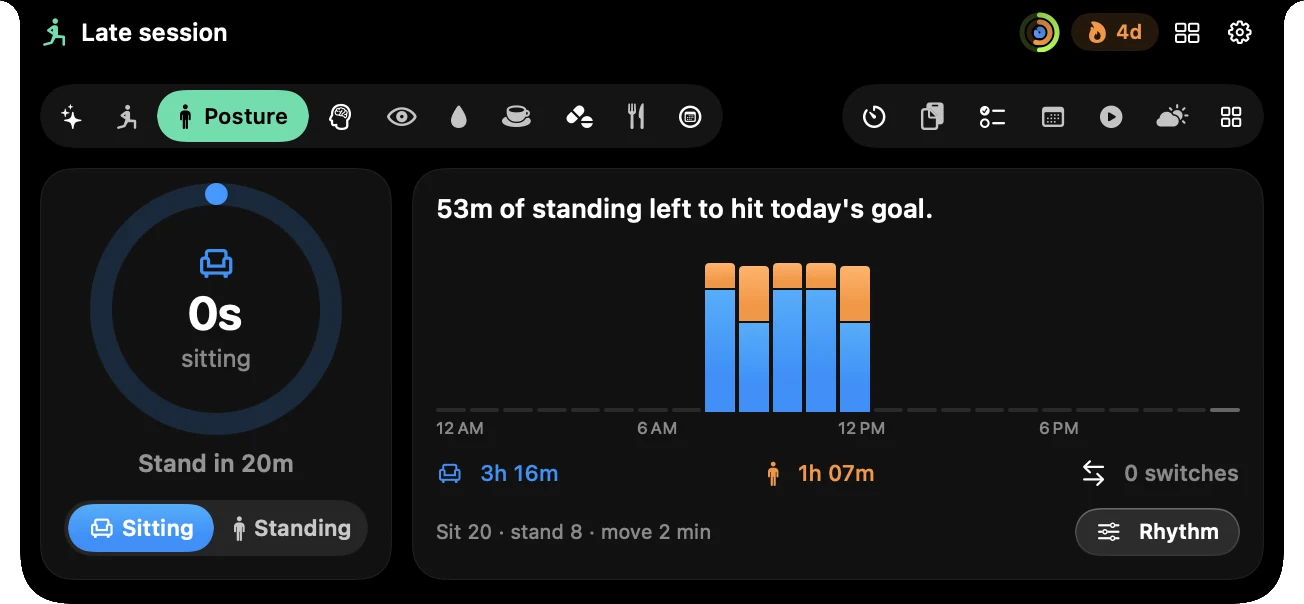
The best-known schedule comes from Cornell’s ergonomics researchers: sit for 20 minutes, stand for 8, and move for 2, then repeat 1. Their key point is in the last number: “Simply standing is insufficient. Movement is important” 1. Standing still in one spot for long periods brings its own discomfort.
Three schedules to choose from
| Schedule | Sit | Stand | Move | Good for |
|---|---|---|---|---|
| Cornell 20-8-2 | 20 min | 8 min | 2 min | The research-backed default; frequent changes |
| Hourly 45-10-5 | 45 min | 10 min | 5 min | Deep work where frequent interruptions hurt |
| Half & half 30-30-2 | 30 min | 30 min | 2 min | People who like standing and want more of it |
Whichever you pick, the movement minutes matter most: walk to get water, do a few desk exercises, or take a call on your feet.
Standing desk tips
- Raise your screen too. Cornell points out that when you raise the desk for typing, you also need to raise the screen, or you end up bending your neck 1.
- Start small. If you’re new to standing, begin with short stretches and build up toward the 2-hour mark 2.
- Keep shifting. Shift your weight, change your stance and walk around. A standing desk is a tool for changing position, not a new position to get stuck in.
No standing desk? No problem
You can follow the same rhythm without special furniture. Stand for phone and video calls, read on your feet, walk while you think, and use the move minutes for a short set of exercises. Getting up every 20 minutes for a two-minute walk was enough to improve blood sugar after a meal in a controlled trial 3.
FAQ
How long should I stand at a standing desk each day?
An expert statement for desk workers suggests building up to 2 hours a day of standing and light activity during work hours, then progressing toward 4 hours 2.
Is it bad to stand all day?
Standing still for long periods isn’t a solution either. Cornell’s guidance is to sit for most computer work and take regular breaks to stand and move 1.
What is the 20-8-2 rule?
A sit-stand schedule from Cornell University ergonomics: in each half hour, sit for 20 minutes, stand for 8 and move for 2 1.
Do I need a standing desk?
No. Standing for calls, walking breaks and short movement sessions give you most of the benefit of breaking up sitting.
Sources
- Cornell University Ergonomics Web. Sitting and standing at work. ergo.human.cornell.edu/CUESitStand.html
- Buckley JP, et al. (2015). The sedentary office: an expert statement on the growing case for change towards better health and productivity. British Journal of Sports Medicine. doi.org/10.1136/bjsports-2015-094618
- Dunstan DW, et al. (2012). Breaking up prolonged sitting reduces postprandial glucose and insulin responses. Diabetes Care. doi.org/10.2337/dc11-1931
This guide is general information, not medical advice. If something hurts, or you have a heart, joint or other health condition, check with a doctor or physiotherapist before starting new exercise.